
Aand we’re back with some cool, awesome, fun stuff to do this week! No more philosophying with me, no siree*
*I would like to make another public service announcement and say that this is indeed a lie as my whole inner existence is in constant state of crisis and therefore needs to philosophise at least 4 times a day (5 if I’m feeling extra spicy/existential) in order to not become but a mere floating ghost, asking myself whether I even exist, not to mention think 🧠
This week (or better to say, last week, as I am a perpetual procrastinator and don’t always write posts on time), we have gone online yet again. However, this time it was due to the self-isolation rules that have started to come into effect in Australia due to COVID-19. Thankfully, we have amazing lectures who were very happy and willing to jump into this whole new experience of online learning and I must say, I am liking the study from the comfort of my own home. Maybe I will write a post detailing this whole situation and the pros and cons of online teaching/learning later on. Stay tuned 😉
For this week, we have explored, as you could probably tell from the title, Musescore amongst many other notation software available at the moment. Luckily, this part of technologicking (totally a word) is something I’m not too unfamiliar with as I have used Finale for quite some time in the past until I’ve discovered the wonders of Musescore (it’s free!) which is why I will henceforth compare every notation software discussed with the wonders of Musescore❤.
I have never used Sibelius though I did try once or twice but the design always seemed a bit too complicated compared to Finale. I know this is probably heresy to my lecturer’s ears considering he wrote a book on how to use Sibelius. Here is the video of him talking about it!
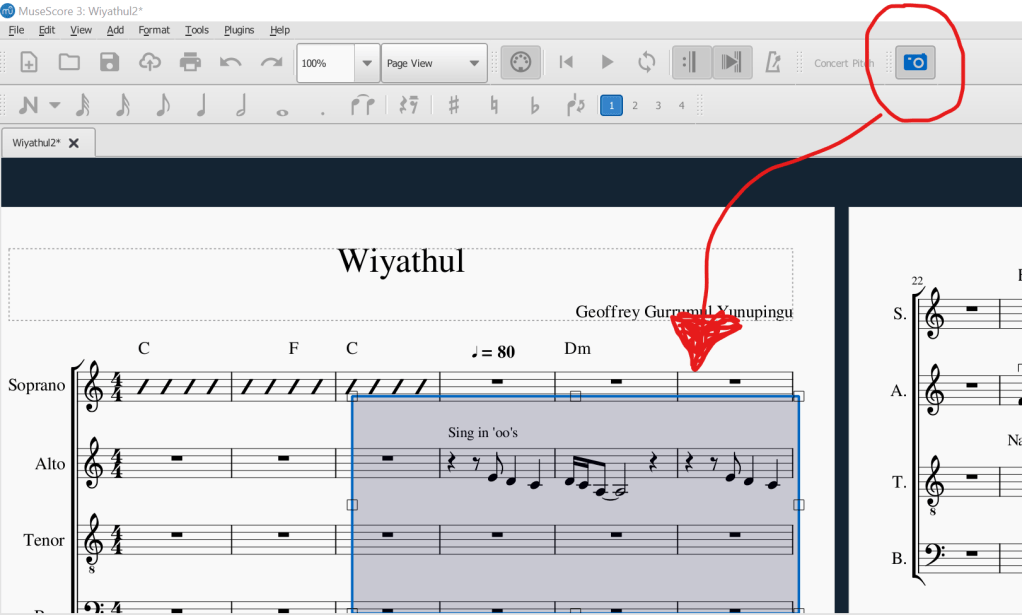
I do have to say that after hearing him explain Sibelius and some of its really great functions to us in class, I was definitely intrigued. One of the coolest functions (Musescore also has this option) is being able to highlight parts of scores by pressing a little camera button which you are then able to copy into word documents. This makes it so much easier and more appealing when wanting to have parts of scores nicely presented as opposed to low resolution screenshots of the same score parts.
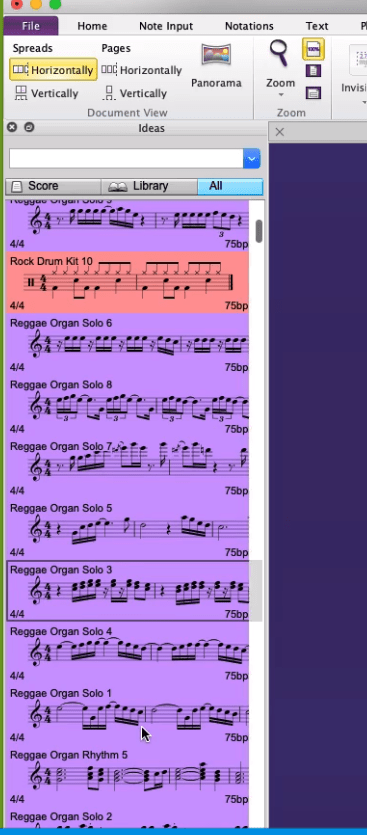
Another very nifty feature which I believe Musescore does NOT have but Sibelius does is the sample library. You as a music teacher can even make your own little samples and put them into the library which then the students will be able to use if you so want them to. Very nifty indeed!
With all the talk of Sibelius, I would like to point out that I will still continue using Musescore because I personally like its simple design and user-friendly interface. It has all the options that you need to compose, make your own arrangements, and the fact that I can also upload my creations or arrangements on the Musescore website makes it even better! And did I fail to mention it’s all free? Definitely better than the free version of Finale in my opinion and it makes for a great FREEE classroom tool (school administration’s favourite words).
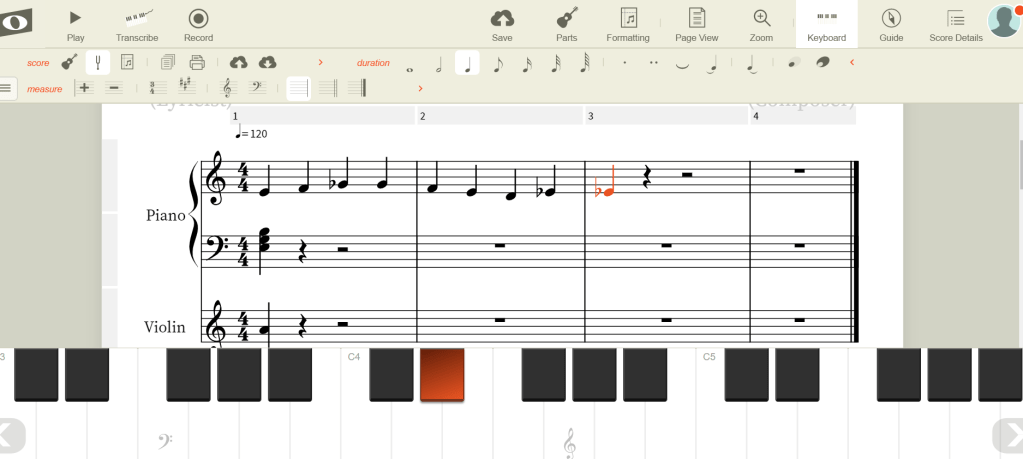
However, if downloading free and awesome software is not really your thing, do not fret because you also have the option of using web browser notation programs that I had no idea existed until we discussed it in class. They are called Noteflight and Flat.io . Again, another great option for classroom teaching if anything more expensive than ‘free’ is not an option. To be fair, the programs do have a paid subscription which then offers more option (hence why Musescore kinda wins on this front). I was tasked of looking at Noteflight alongside the other half of the class in order to test it out. Personally, there wasn’t much I was impressed with, though I didn’t really bother to look at it in greater detail. Below you can see a screenshot of me messing around with the program. I have to say, the keyboard option is really useful so I’ll give Noteflight that 😏
However, the one really, really great option which Noteflight has and it is especially useful to teachers, is the Marketplace. In a nutshell, Marketplace allows you to buy copyright scores of music, arrange it yourself if you so wish to do, and then put it up for sale on the Marketplace. You can then buy this arrangement and through this action you just got copyright cleared and can legally perform the same arrangement anywhere you like! So I will definitely keep this in the back of my mind for future use 😊
Overall, it was quite a productive class as it definitely opened up my mind to more options for notation software. I learned a lot, I cried a lot, and I laughed even more, but in the end, I still opted to stay loyal to Musescore ❤ Though, now with all the social distancing and worldwide isolation, Sibelius is offering students a 90 day free licence! So check that out if you’re a student 😀
Well until next time, adios, stay safe, wash your hands, and keep on notating 🎵
 Exploring Technology in Music Education