

*This message has been brought to you by a 1940’s telemarketer because that’s who I become when excited about a certain product. My apologies in advanced. If it makes you feel better, imagine me speaking with a trans-Atlantic accent*
Hello, hello and welcome to yet another post. So good to have you back. For this week, I would just like you to relax a bit and take a breath from all the awesome and mind-blowing technology to ponder on things that are a little more familiar and probably your absolutely favourite things to do ever: music theory and ear training 😅
Haha ok, yes I know, music theory and ear training ain’t something that many people gleefully jump up and down for. However! what if I told you that you could study music theory and ear training in a sequential and approachable way? Or that you could do tests which will explain your wrong AND right answers? If you’re a teacher, you could create classes and syllabuses for your students? Or that there is every topic you can possibly imagine in one place? Ooor (and this is the best part yet) you can do music theory and ear training all in the comfort of your own home/bed/bus??? Well sir/madam, it is you lucky day because you can do ALL of these things with the wonderful Aurelia and Musition software!!🎉
That’s right, I knew you were going to be interested because who wouldn’t be!?
Ok ok, I get it if you’re still not, music theory and ear training isn’t super easy to get excited over 😏 However, I have heard about these two programs a few years ago when I just started my first year at Sydney Con and was immediately interested in exploring them as I was on a search for efficient ways in which I can practice my theory and musicianship skills. Unfortunately, a lot of the time it can be very difficult to receive direct feedback when learning, for example, how to write counterpoint or how to recognise major and minor intervals, which is why Aurelia and Musition sounded so perfect! Yet, as it always goes with poor uni students, I wasn’t prepared to spend money on a new software that I might not be able to use all the time. And that was that. At least, it was until this week’s TME lecture where our guest speaker was Peter Lee, one of the main creators of, you guessed it, Aurelia and Musition! Woo, amazing! And I am not just saying this, I was genuinely excited and looking forward to hearing about these great programs from a man who actually knows them inside out.
Of course, it goes without saying that Aurelia and Musition are great for personal practice. In fact, that is exactly what I decided to do as a way to check out the program for myself. If you’re wondering how I am magically able to use it now, my class has been given access to the cloud version by our lecturer (super lucky!). I decided to test out my scale knowledge so I went into Musition and clicked on level 7 of ‘Scales’:
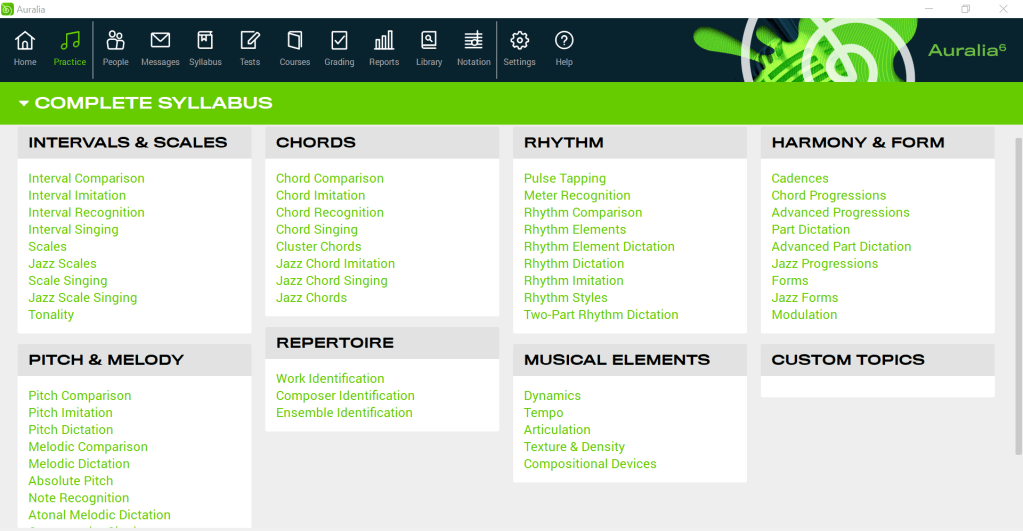
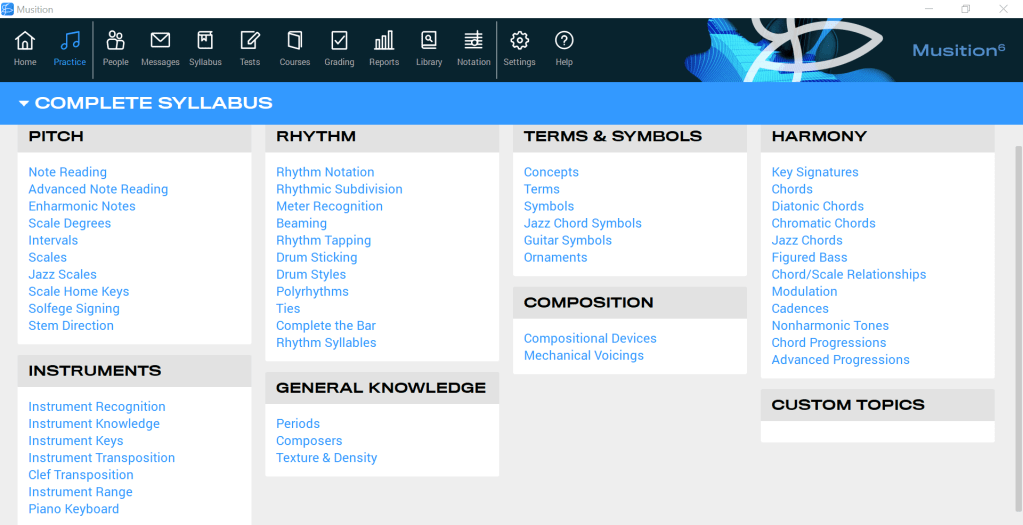
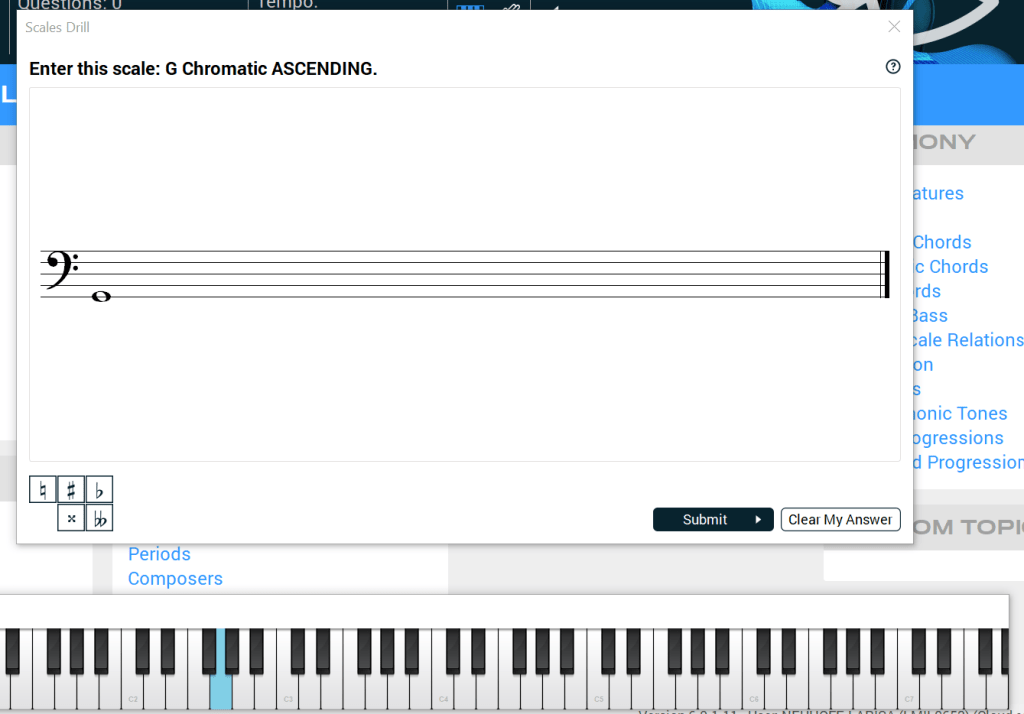
I really liked the keyboard on the bottom which proved quite useful in entering notes. Another option is to click on the staff lines. I haven’t had the chance to ask whether the software supports midi keyboards as that would make note entering even easier. Nonetheless, the user interface is very simple and clear and I definitely think that Musition, alongside Auralia, will make a great tool for my own skill practice.
However, the really helpful bit about this software is that its main purpose is to be used for music classrooms and therefore eliminate time spent on theory drilling during class time. As music teachers, and as a future music teacher myself, we want to ensure that our students are having fun and actually creating music in the classroom. No good music teacher enjoys standing in front of a white board and telling little Suzy or Michael what a harmonic minor scale is for the next 1 hour. Still, we encounter a conundrum because we also need to make sure that our students have the necessary knowledge and skills in order to create music in the first place. Sometimes, that knowledge and those skills just need to be drilled in and unfortunately there is no escaping it. What makes Aurelia and Musition so useful is that instead of printing out hundreds of worksheets every term for every student or wasting more class time than necessary on dull theory and ear training lessons, we can create drill questions and EVEN tests which the students can then solve at home for homework on any of the devices they might have in their possession, be it an old Iphone or their 7 year old wonky laptop.
Some of the features I especially like in both Auralia and Musition is the the little pop-up window that shows up after answering a question. Whether a student (or you!) has answered the question correctly or not, you are provided with a little visual explanation of the answer. This can help the learner either reaffirm how they have arrived to the right answer or if answered incorrectly, show them where they went wrong.
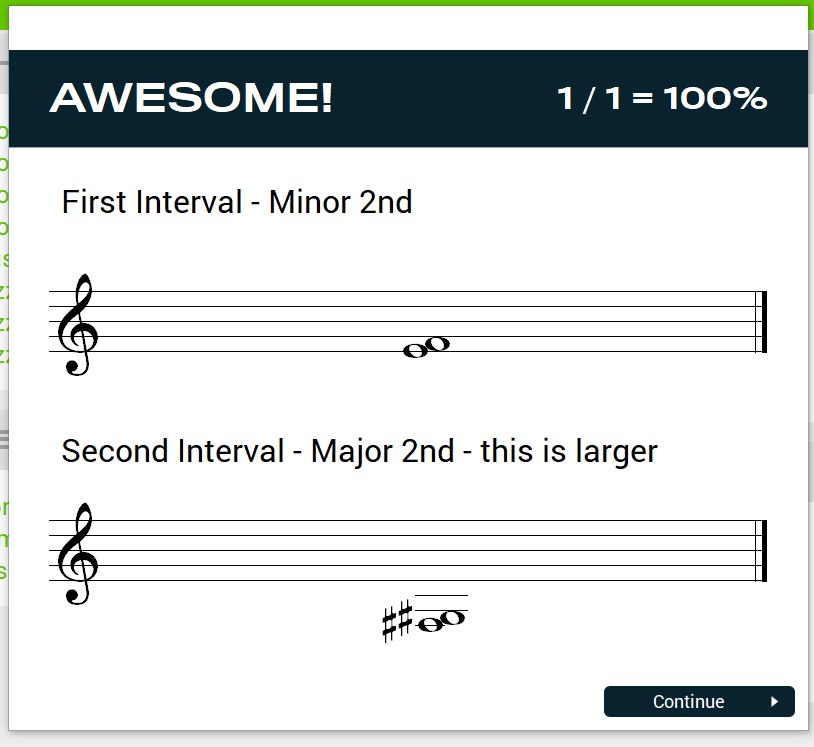
Of course, you might be wondering ‘But Larisa, what if we as teachers don’t want the students to immediately see the correct answers? What then?’
Well you’re in luck because the creators of Auralia and Musition have thought of this as well! In fact, the software allows its user to customise tests in many ways, whether it is the length of the test, the number of questions, the number of tries the students are allowed to have or even when the test is available to be taken by the students! You can also choose what content is covered within the test. This is how the windows for customising your tests looks like (I have played around and tried creating my own test):
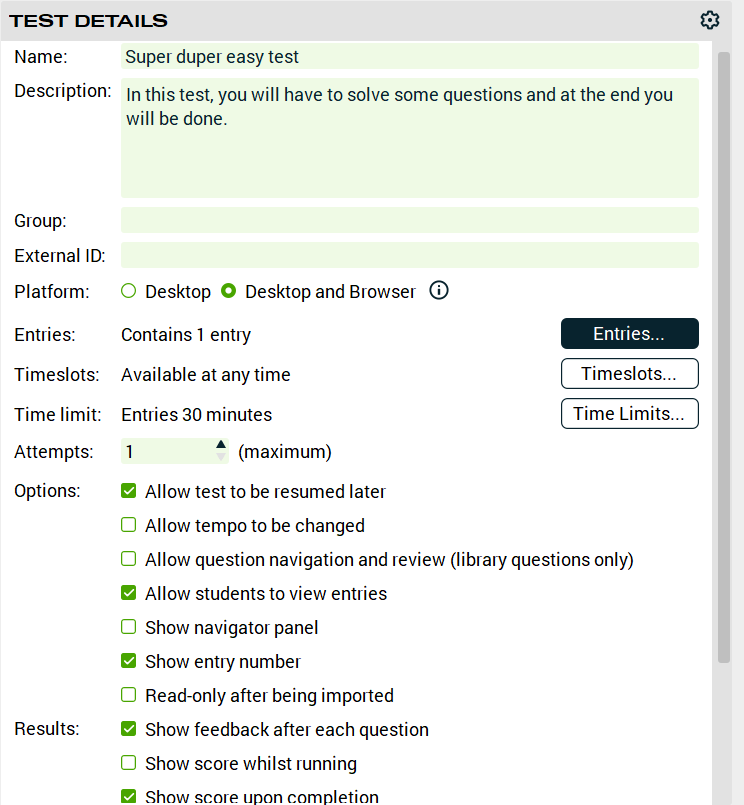
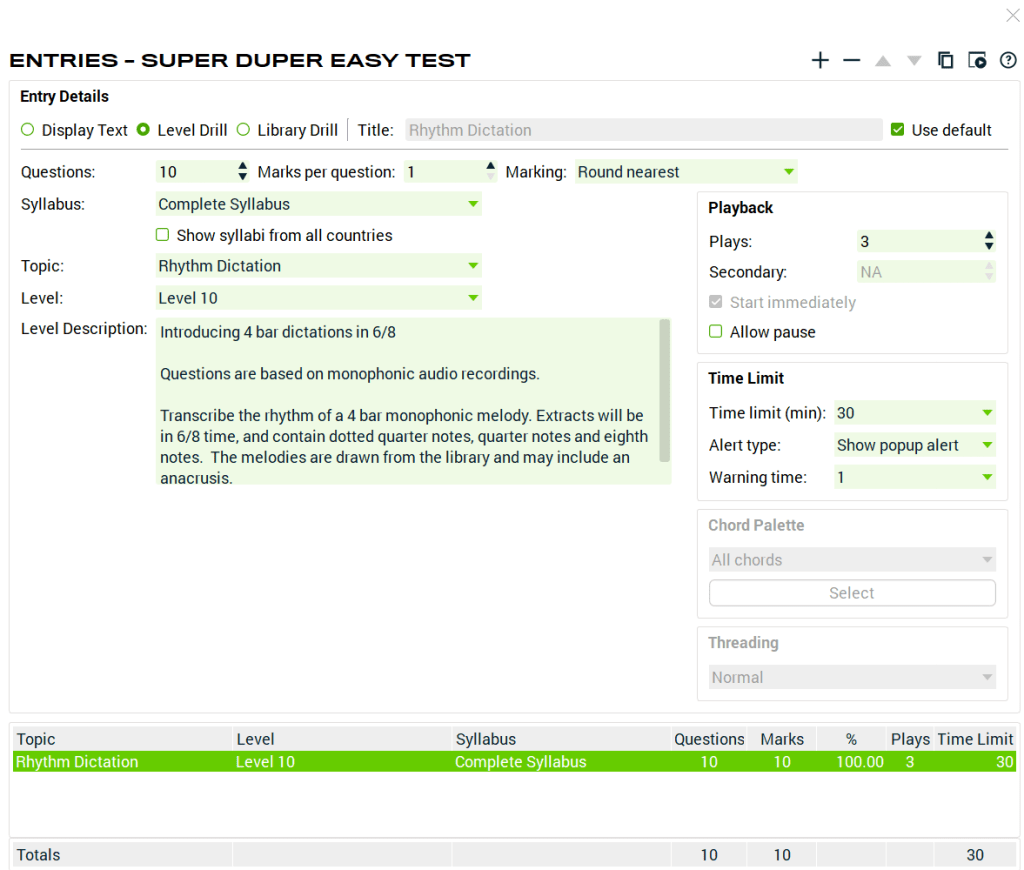
Something that I have to mention about these programs is that not only are they very detailed in its content delivery while maintaining a simple interface, but they also have incredible creators, such as Peter Lee, who are constantly working on improving the software and adding new features. In fact, during the lecture, I decided to ask Peter whether Musition or Auralia offered their versions of syllabus for different levels. Though he said they didn’t at the moment, he liked the idea and made sure to write it down. This to me showed constant innovation and search for new ideas from many different sources.
Now, here comes the slightly uncomfortable bit: the cost of the software. You might be really liking what you’ve just read so far but you’re worried that it is too expensive and your school, or even your own wallet, might not like it very much. And I completely understand that feeling, I get it all the time as well! This was one of those questions that I forgot to talk about to Peter during the lecture but I have decided to visit their website and check out the pricing for myself. And oh boy, was I pleasantly surprised! The prices themselves are really not that bad at all – and that’s coming from a poor uni student, a piece of information I don’t fail to mention in almost every blog post. 😅 After taking TME class for a whole semester and seeing how much some of the programs we were using can cost (*cough* Sibelius *cough*), Auralia and Musition seem even more affordable! You can check the prices out on their official website!
Overall, a very informative lecture about a software that is extremely useful for busy teachers and musicians. Auralia and Musition provide such a wide area of content and gives its users not only many customisation options but also great flexibility and room for further growth and feedback! Honestly, couldn’t recommend these two programs more!! ☺☺
 Exploring Technology in Music Education