

I am back again and we are now in week 7 (if week 7 was in week 9 because of how regular I am with writing my blogposts 😅). I know I am probably getting a little repetitive whenever I mention my inability to technology at times, but every TME lecture is a little bit of a surprise at how many things I’ve actually never explored and this week’s topic was no different. In fact, it was probably a topic I knew absolutely zero things about and I can say that with complete confidence. What I am talking about is indeed synthesizers and computer programming, specifically music programming which I didn’t even realise was a thing so there you go 🤷♀️
So if you feel that you also don’t know much about these topics, let me take you on my own journey of discovery. And if you feel like you already know so much about these topics, please recomend me some ways in which I can expand my knowledge and apply it to my own musicking and teaching!
Synthisizing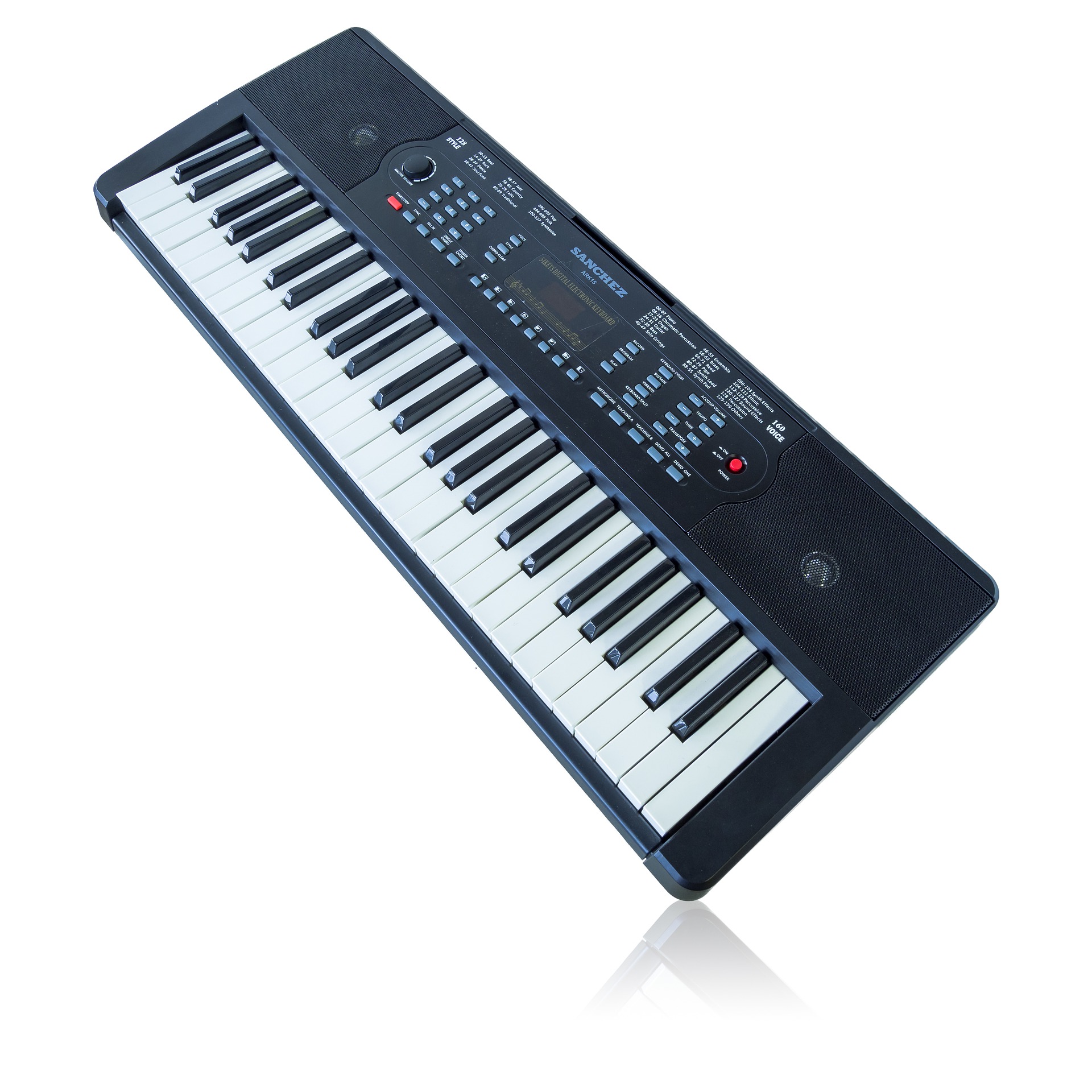
I am a little embarrassed to say that I thought that the sounds on the synthesizer were pre-recorded or somehow programmed without ever giving it a thought as to how specifically that would have looked. It never really struck me but this lecture has burst my bubble and opened my eyes to a new light. You see, my dear reader or readers, sythesizers make sounds by using electricity! 🤯🤯🤯🤯
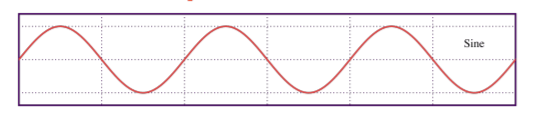
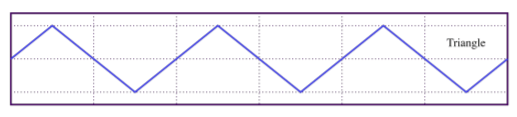
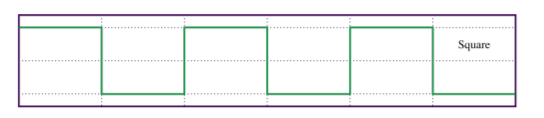
Haha ok you might think this is a very simple explanation and ‘wow Larisa you really are a bit up with the fairies, of course synthesizers use electricity!’ but I kid you not, this piece of information never crossed my mind. If you remember one of my earlier posts in week 1 where I discussed microphones, I might or might not have mentioned the way a microphone works. To review, the oscillation in air pressure when a person talks or sings creates electrical signals which can then be amplified through a speaker and TA-DAH you are able to hear your favourite singer sing even though you were only able to afford the D-row seats. HOWEVER (and this is where I had my mind properly blown) sythesizers/electrical pianos are not acoustic which means that they don’t create sound waves through air pressure like acoustic instruments or a human voice might. So then what happens? Well, the oscillations have to be created through different means and in the cases of sythesizers, it is through electrical currents, or better put, through an electrical oscillator. This electrical oscillator creates differrent different sound waves and the most common of those are:
Sine wave
Triangle wave
Square wave
Sawtooth wave
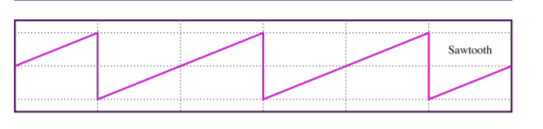
What I found even more fascinating was the fact that the combination of these sound waves will result in new sounds. In Soundtrap, you are actually able to experiment with some of these sounds and options. To get there, make sure you have a piano/keyboard instrument track. Then click on the track and go to ‘Tweak’ where the synthesizer option will be displayed for you. As you can see on the picture below, you are able to control two electrical oscillators. The red circle is showing the mix bar where you can control which sound wave is heard more if you decide to mix two different types.
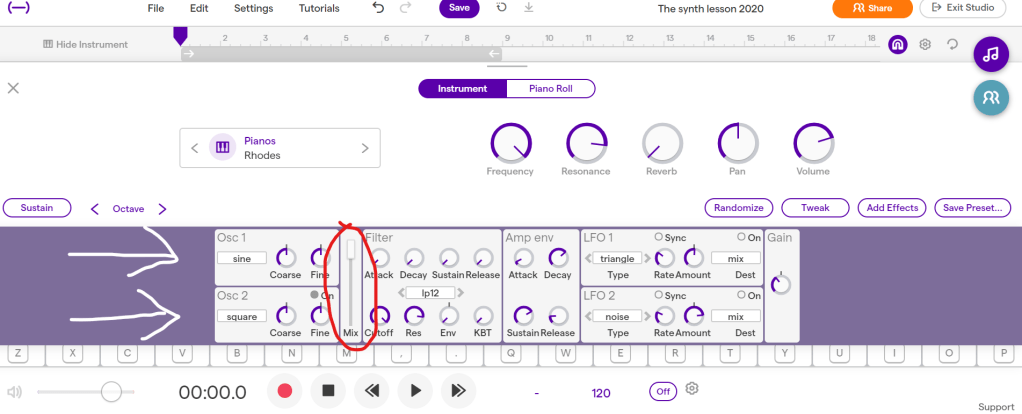
Here are two little snippets (apologies for the not so great of a sound recording) where I try to experiment with how two different sound waves can work together:
Of course, there is much more that goes into creating a synthesizer sound. You can even see that in Soundtrap you are able to manipulate pitch frequencies with Course and Fine functions and therefore create some clashing, funky sounds if that’s what you’re going for. I would demonstrate, but unfortunately my sound quality when I tried to record again wasn’t very good for it. However, you can try and experiment at home! Put both oscillators on sine and then for of them move the Course function to 1. Then try and play the keyboard and see what happens. Pretty cool isn’t it?
Other ways of modifying the synth sound is through amplitude (how loud or soft the sound is), movement, brightness, amplitude envelope (attack, decay, sustain and release of the sound, or for short ADSR), filter and more! I would strongly recommend that if you are starting from the beginning and would like to learn more about synthesizer sounds, Abbleton’s website on learning synths is extremely simple, helpful and really fun as well! It let’s you interact with synth sounds as you’re learning them which would also work amazingly well in a classroom setting! Here is the website if you would like to check it out (and you should!). If Soundtrap begins to feel a little simple, you can also check out these free synths on U-he website. And if you’re getting very, very serious, you can also buy some of the more advance versions on the same website!
I have however gone to a different free synthesizer website for a download right here if you’re interested. This is how it looks once you’ve installed the program:
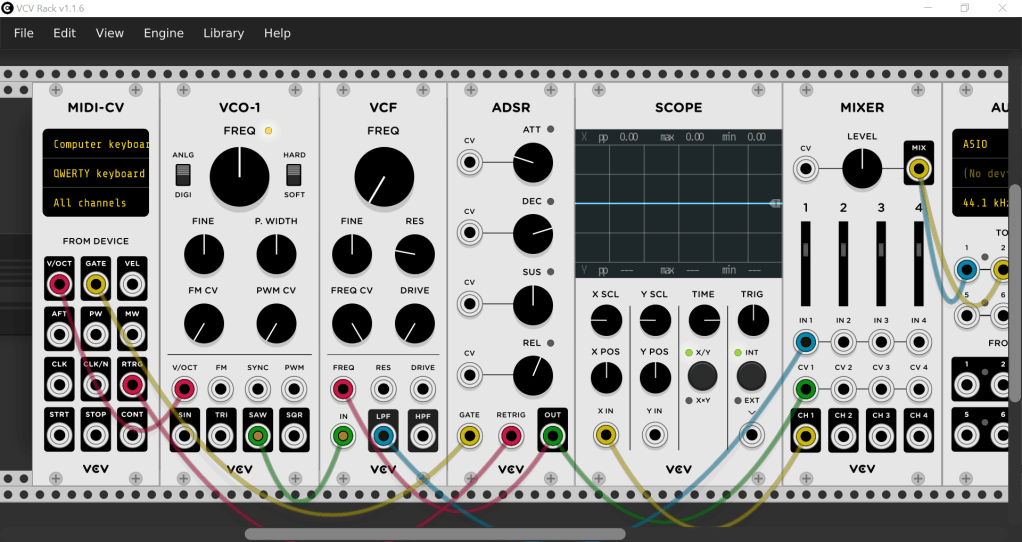
I am yet to report back on how it actually works but hopefully this is something that i can keep fiddling with in the future! 😄 And now onto some programming!
Computer programming 
For this section of the lecture, we were privilaged to have a guest lecturer Rowena Stewart zoom us in and talk about a music programing software called Sonic Pi, developed by Sam Aaron in the University of Cambridge Computer Laboratory in collaboration with Raspberry Pi Foundation. And guess what? You can download it for FREEEEEE here. As you propably guessed it, it deals with computer programming where you have to add in commands in order to have any kind of sound output. For the most part, we have played around with a few simple functions and tested out playing of single notes and chords. I would go into more detail about how to use the functions but I don’t have to because Rowena has actually made an amazing online resource with all the basics and then some. If you would like to learn how to use Sonic Pi, then by all means, go here and go crazy.
I would just like to show you how the program looks inside and you will also be able to see a little bit of my own programming. For those of you who download the program, here is my code if you would like to check out what I attempted to code and play ;).
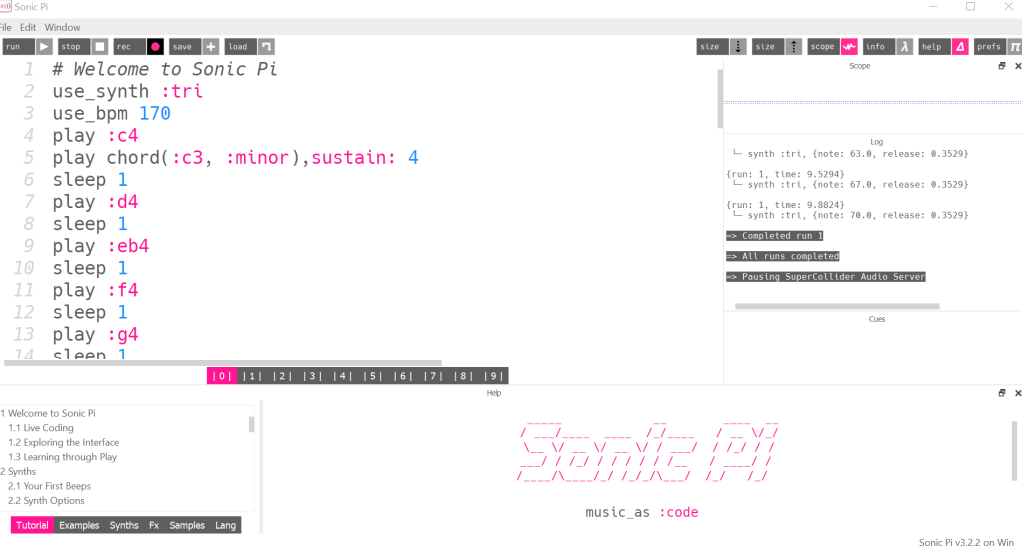
My code:
use_synth :tri
use_bpm 170
play :c4
play chord(:c3, :minor),sustain: 4
sleep 1
play :d4
sleep 1
play :eb4
sleep 1
play :f4
sleep 1
play :g4
sleep 1
play :eb4
sleep 1
play :g4
sleep 2
play :fs4
sleep 1
play :d4
sleep 1
play :fs4
sleep 2
play :f4
sleep 1
play :d4
sleep 1
play :f4
sleep 2
play :c4
sleep 1
play :d4
sleep 1
play :eb4
sleep 1
play :f4
sleep 1
play :g4
sleep 1
play :eb
sleep 1
play :g
sleep 1
play :c5
sleep 1
play :bb4
sleep 1
play :g4
sleep 1
play :eb4
sleep 1
play :g4
sleep 1
play :bb4
I will be a little honest with you here and just a small warning that this is my own personal opinion.
Even though I had fun lots of fun playing around with the software, I was struggling to see a very useful application within the music class, or even within my own music making. It would definitely make a very interesting little side project to prepare within the classroom but I am not sure how music programming might be a more useful or creative medium than what other music softwares don’t already provide in a much simpler way. Creating your own synth sounds definitely has a lot more usage, at least from my perspective. If you as a music teacher want to discuss texture, dynamics, articulation and more with your students, explaining how to create synth sounds can be an amazing medium. Not to mention that it provides students with an incredibly creative outlet!
In regards to the music programming, I can definitely see a great application for students who are learning how to program and who also enjoy music. However, I was not able to see it the other way. Nonetheless, it is a great program to explore and if you become quite profficient in it, you can create some very complex music. Here is an example of one such video I found by just browsing Youtube for examples:
Anywhoot (🦉), hope you enjoyed my little self-discovery journey. I definitely learned a lot and my head kinda hurts so I’ll go now and let it all process. Until next week (or two 😅) keep on synthing and programming and keep on technologicking!


It’s great to read your opinion, especially when you contextualise it so well within the learning experiences and other information you’ve discovered! Don’t apologise for giving your opinion – the trick is to ask yourself whether you’ve thought critically, confronted your own biases … and then write away!
LikeLike
Thank you! I will try to be less apologetic in future posts haha 😁
LikeLiked by 1 person